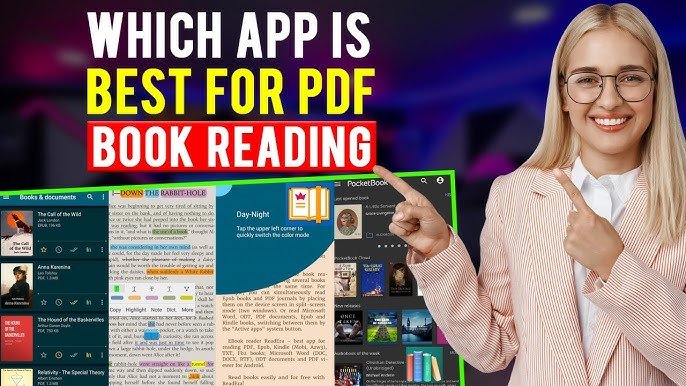

In today’s digital world, PDF files have become an essential part of our daily lives. From study notes and office documents to eBooks and legal files, PDFs are everywhere. To read, edit, and manage these files efficiently, you need a powerful and reliable PDF reader app for Android.
If you are searching for the best PDF reader apps for Android, you are in the right place. In this detailed guide by APK4R, we have listed the top PDF reader apps, covering free and premium options, lightweight apps, advanced tools, and secure readers.
Whether you are a student, professional, or casual reader, this article will help you choose the perfect PDF reader app for your Android device.
Why You Need a Good PDF Reader App on Android
Android devices do not always come with advanced PDF reading features. A dedicated PDF reader app provides:
- Smooth PDF viewing experience
- Fast loading of large PDF files
- Annotation and highlighting tools
- Cloud storage support
- Security and password protection
- Offline reading support
Choosing the right PDF reader improves productivity and makes document handling much easier.
Key Features to Look for in a PDF Reader App
Before downloading any PDF reader app, you should check for the following features:
- Fast PDF Rendering
- Zoom & Page Navigation
- Highlight, Notes & Annotations
- Search Inside PDF
- Dark Mode / Night Reading
- Cloud Sync (Google Drive, Dropbox)
- File Compression & Sharing
- Password Protection
- No or Minimal Ads
Now let’s explore the best PDF reader apps for Android.
1. Adobe Acrobat Reader – Best Overall PDF Reader
Adobe Acrobat Reader is one of the most trusted and widely used PDF reader apps in the world.
Key Features:
- Open and view PDFs quickly
- Highlight, underline, and add comments
- Fill and sign PDF forms
- Scan documents to PDF
- Cloud storage integration
- Password-protected files support
Pros:
- Industry-standard PDF reader
- Reliable and secure
- Regular updates
Cons:
- Advanced features require premium version
Best For: Professionals and office users
2. Google PDF Viewer – Lightweight & Fast
Google PDF Viewer is a simple and lightweight PDF reader developed by Google.
Key Features:
- Fast PDF opening
- Simple and clean interface
- Search text within PDF
- Offline reading
Pros:
- No ads
- Extremely lightweight
- Smooth performance
Cons:
- No editing or annotation tools
Best For: Users who only need basic PDF reading
3. Xodo PDF Reader & Editor – Best Free PDF Editor
Xodo PDF Reader is one of the best free PDF reader and editor apps for Android.
Key Features:
- Annotate PDFs (highlight, draw, notes)
- Sign documents digitally
- Sync with Google Drive & Dropbox
- Read and edit offline
- Night mode
Pros:
- Completely free
- Powerful editing tools
- Clean UI
Cons:
- Slight learning curve for beginners
Best For: Students and professionals
4. Foxit PDF Reader – Fast & Secure
Foxit PDF Reader is known for speed, security, and performance.
Key Features:
- Smooth PDF viewing
- Add comments and highlights
- Password-protected files
- Cloud storage support
- Dark mode
Pros:
- Lightweight
- Secure and fast
- Good annotation tools
Cons:
- Ads in free version
Best For: Business and secure document handling
5. WPS Office PDF Reader – All-in-One Solution
WPS Office is not just a PDF reader but a complete office suite.
Key Features:
- Read, edit, and convert PDFs
- Word, Excel, and PPT support
- PDF to Word conversion
- Cloud storage integration
Pros:
- Multi-purpose app
- Good UI
- Free version available
Cons:
- Ads in free version
Best For: Users who want an all-in-one office app
6. PDF Reader – PDF Viewer by Xodo (Lite Version)
This lightweight version of Xodo focuses mainly on reading PDFs smoothly.
Key Features:
- Fast loading
- Zoom and page navigation
- Offline reading
- Minimal interface
Pros:
- Lightweight
- Easy to use
Cons:
- Limited editing features
Best For: Low-end Android devices
7. Librera Reader – Best for eBooks & PDFs
Librera Reader supports PDF, EPUB, MOBI, and many other formats.
Key Features:
- Custom reading themes
- Text-to-speech
- Night mode
- Bookmarks and notes
Pros:
- Supports multiple formats
- Highly customizable
Cons:
- UI may feel complex
Best For: eBook readers and students
8. ReadEra – Ad-Free PDF Reader
ReadEra is a popular ad-free PDF reader with a clean interface.
Key Features:
- No ads
- Offline reading
- Supports PDF, EPUB, DOCX
- Bookmark and notes
Pros:
- Completely free
- Smooth performance
Cons:
- No advanced editing
Best For: Distraction-free reading
9. CamScanner – PDF Scanner & Reader
CamScanner is ideal for scanning documents and reading PDFs.
Key Features:
- Scan documents into PDF
- OCR text recognition
- Cloud sync
- Share PDFs easily
Pros:
- Powerful scanning features
- Professional quality
Cons:
- Watermark in free version
Best For: Business users and students
10. PDF Reader Pro – Premium PDF Experience
PDF Reader Pro offers advanced tools for power users.
Key Features:
- Edit and annotate PDFs
- Password protection
- PDF conversion tools
- Cloud storage
Pros:
- Advanced features
- Professional UI
Cons:
- Paid app
Best For: Professionals and enterprises
Comparison Table: Best PDF Reader Apps for Android
| App Name | Editing | Ads | Best For |
|---|---|---|---|
| Adobe Acrobat | Yes | Yes | Professionals |
| Google PDF Viewer | No | No | Basic Reading |
| Xodo PDF Reader | Yes | No | Students |
| Foxit PDF Reader | Yes | Yes | Secure Use |
| WPS Office | Yes | Yes | All-in-One |
| ReadEra | No | No | Ad-Free Reading |
Best PDF Reader for Students
For students, the best options are:
- Xodo PDF Reader
- ReadEra
- Librera Reader
These apps provide annotation, highlighting, and offline reading features.
Best Lightweight PDF Reader for Android
If you have a low-end device:
- Google PDF Viewer
- PDF Reader Lite
They consume less RAM and storage.
Best PDF Reader with Editing Features
If editing is your priority:
- Adobe Acrobat Reader
- Xodo PDF Reader
- PDF Reader Pro
Are PDF Reader Apps Safe?
Most popular PDF reader apps are safe if downloaded from trusted sources. Always:
- Avoid unknown APKs
- Check app permissions
- Use antivirus protection
Final Verdict
Choosing the best PDF reader app for Android depends on your needs.
If you want professional features, go with Adobe Acrobat Reader.
For free editing, Xodo PDF Reader is the best choice.
If you prefer ad-free reading, ReadEra is perfect.
At APK4R, we always recommend using reliable and secure apps to protect your data and improve productivity.
Frequently Asked Questions (FAQs)
Q1: Which is the best free PDF reader for Android?
Xodo PDF Reader and ReadEra are the best free options.
Q2: Can I edit PDFs on Android?
Yes, apps like Adobe Acrobat, Xodo, and PDF Reader Pro allow PDF editing.
Q3: Which PDF reader is best for students?
Xodo PDF Reader is ideal for students.
🔔 Stay Connected with APK4R
For more APK reviews, Android apps, AI tools, and tech guides, visit apk4r.org regularly.