
In today’s digital world, smartphones have become an essential part of our lives. From communication and entertainment to work and navigation, we rely heavily on our mobile devices. However, one common problem almost every smartphone user faces is poor battery life. No matter how advanced your phone is, battery drain can still be frustrating.
If you are tired of charging your phone multiple times a day, this complete guide will show you how to extend smartphone battery life using practical, safe, and effective methods. These tips work on Android and iPhone devices and do not require technical skills.
Why Smartphone Battery Drains So Fast?
Before learning how to save battery, it’s important to understand why batteries drain quickly:
- High screen brightness
- Background apps running continuously
- Poor network signals
- Heavy gaming and streaming
- Old battery health
- Location services always enabled
- Unoptimized system settings
The good news is that most of these issues can be fixed with simple changes.
1. Reduce Screen Brightness and Timeout
Your phone’s display consumes the most power.
What You Should Do:
- Lower screen brightness manually
- Enable Auto-Brightness
- Reduce screen timeout to 30 seconds or 1 minute
- Use Dark Mode, especially on AMOLED screens
Dark mode can significantly improve battery life on modern smartphones.
2. Enable Battery Saver or Low Power Mode
Both Android and iOS come with built-in battery-saving features.
Benefits of Battery Saver Mode:
- Limits background activity
- Reduces visual effects
- Slows down unnecessary processes
- Improves standby time
Turn on Battery Saver when your battery drops below 30% for best results.
3. Close or Limit Background Apps
Many apps continue working in the background even when you’re not using them.
Tips:
- Check battery usage in settings
- Restrict apps with high battery consumption
- Disable background activity for social media apps
- Uninstall apps you don’t use
This simple step can extend smartphone battery life dramatically.
4. Turn Off Unused Connectivity Features
Connectivity features constantly search for signals and drain power.
Turn Off When Not Needed:
- Bluetooth
- Wi-Fi
- Mobile data
- NFC
- Hotspot
Also, enable Airplane Mode in low signal areas to prevent excessive battery drain.
5. Optimize App Notifications
Frequent notifications wake up your screen and consume battery.
Best Practices:
- Disable notifications from non-essential apps
- Turn off vibration feedback
- Use silent notifications where possible
Fewer notifications mean better battery performance.
6. Limit Location Services and GPS Usage
Location services are one of the biggest battery killers.
How to Optimize:
- Turn off GPS when not needed
- Set location access to “While Using App”
- Disable location tracking for unnecessary apps
This step alone can improve battery backup significantly.
7. Keep Your Phone Updated
Software updates often include battery optimization improvements.
Why Updates Matter:
- Fix system bugs
- Improve battery efficiency
- Enhance app compatibility
Always keep your smartphone OS and apps updated to the latest versions.
8. Avoid Extreme Temperatures
Heat and cold can damage battery health over time.
Battery Safety Tips:
- Avoid direct sunlight
- Do not use phone while charging
- Remove phone case during heavy charging
- Keep your device at room temperature
Healthy battery conditions ensure longer lifespan.
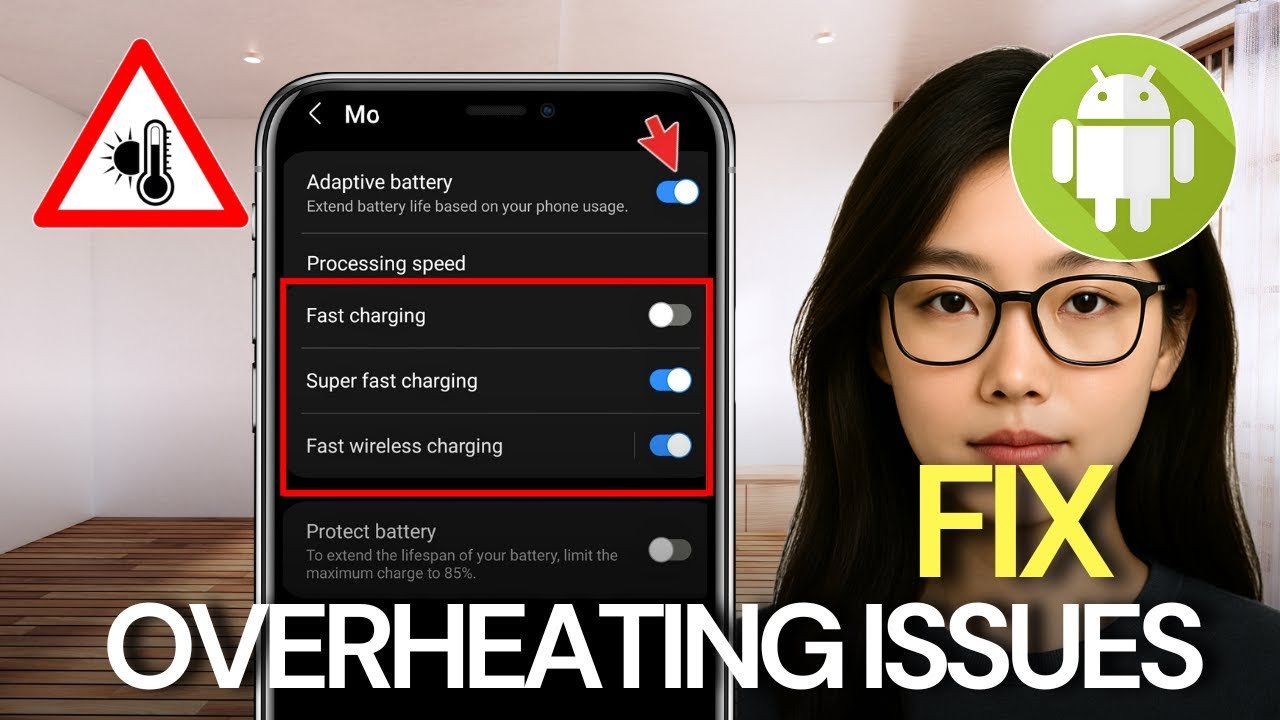
9. Use Original Chargers and Avoid Fast Charging Excessively
Fast charging is convenient but can reduce long-term battery health.
Charging Best Practices:
- Use original or certified chargers
- Avoid overnight charging
- Keep battery level between 20% and 80%
- Do not let battery drop to 0% frequently
These habits help preserve battery capacity.
10. Reduce Gaming and Heavy Usage
High-performance tasks consume more power.
Smart Usage Tips:
- Lower graphics settings in games
- Avoid multitasking during gaming
- Close background apps before playing
- Take breaks to prevent overheating
Balanced usage leads to longer battery life.
11. Disable Live Wallpapers and Animations
Live wallpapers and animations look attractive but drain power.
What to Change:
- Use static wallpapers
- Reduce system animations
- Disable motion effects
Minimal visuals equal better battery performance.
12. Monitor Battery Health Regularly
Battery health decreases over time.
How to Check:
- Android: Use device care or third-party apps
- iPhone: Settings → Battery → Battery Health
If battery health is below 80%, consider battery replacement for better performance.
13. Use Lite Apps When Possible
Lite versions of apps consume less battery and data.
Examples:
- Facebook Lite
- Messenger Lite
- YouTube Lite
These apps are perfect for users who want long battery life.
14. Restart Your Phone Weekly
Restarting your phone clears background processes and refreshes the system.
Benefits:
- Improves system performance
- Fixes minor bugs
- Reduces unnecessary battery drain
A weekly restart can make a noticeable difference.
Final Thoughts
Extending smartphone battery life does not require expensive tools or technical knowledge. By applying these simple yet effective battery-saving tips, you can enjoy longer usage, better performance, and improved battery health.
Whether you use your phone for work, gaming, or social media, smart battery management is essential in today’s fast-paced digital world.
For more tech tips, APK guides, AI tools, and smartphone optimization articles, stay connected with apk4r.org.