
Artificial Intelligence has completely changed how we work, learn, and solve daily problems. Among all AI platforms, ChatGPT stands out as one of the most powerful tools for writing, coding, learning, and productivity. But there’s one common limitation users often face — internet dependency.
That’s where ChatGPT Offline Tools come into play.
In this detailed guide, we’ll explore what ChatGPT offline tools are, how they work, the best offline alternatives available in 2026, and how you can safely use them on Android, PC, and low-internet environments.
Whether you’re a student, developer, content creator, or casual user, this article will help you understand everything about using ChatGPT without internet.
What Are ChatGPT Offline Tools?
ChatGPT Offline Tools are applications, software, or AI models that allow users to access ChatGPT-like features without an active internet connection.
Unlike the official ChatGPT website or app (which requires constant internet access), offline tools:
- Run locally on your device
- Use pre-trained language models
- Do not send data to servers
- Work even in low or no-internet areas
These tools are especially useful for users who want privacy, speed, and uninterrupted AI access.
Why Do People Want ChatGPT Offline Tools?
There are many real-world reasons why offline AI tools are becoming popular:
1. Limited or No Internet Access
In many regions, stable internet is not always available. Offline tools allow uninterrupted usage anytime.
2. Privacy & Data Security
Offline ChatGPT tools process data locally, meaning:
- No data sharing
- No cloud storage
- Better privacy protection
3. Faster Performance
Since responses are generated locally, there’s:
- No server delay
- No network lag
- Instant replies on powerful devices
4. Learning & Experimentation
Students and developers can experiment freely without worrying about usage limits or subscriptions.
Is Official ChatGPT Available Offline?
Short answer: No.
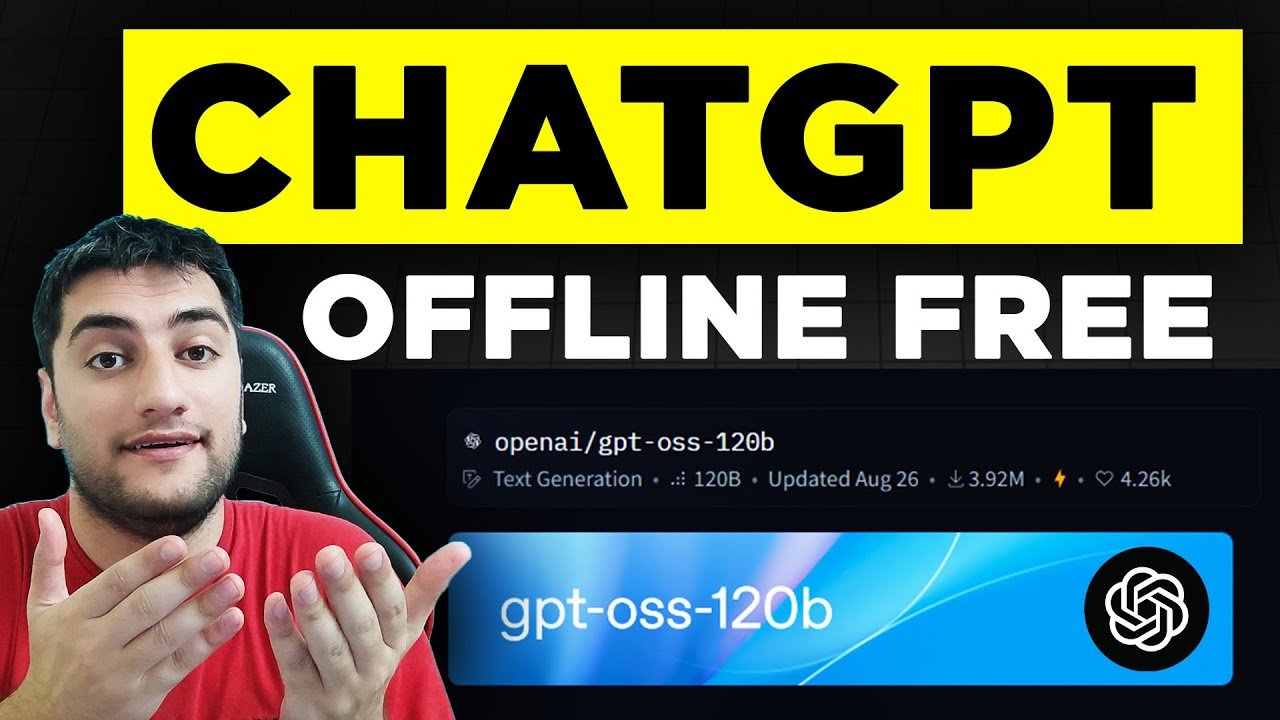
The official ChatGPT by OpenAI does not support full offline mode. It requires an internet connection to function.
However, many ChatGPT offline tools and alternatives use open-source AI models that provide similar experiences without internet access.
Best ChatGPT Offline Tools in 2026
Below are the top offline ChatGPT tools that work on different platforms.
1. GPT4All (Best Overall Offline ChatGPT Tool)
GPT4All is one of the most popular ChatGPT offline tools available today.
Key Features:
- Works fully offline
- Runs on Windows, macOS, and Linux
- No account or login required
- Supports multiple AI models
- Easy installation
Use Cases:
- Writing articles
- Coding help
- Brainstorming ideas
- Offline learning
GPT4All is perfect for users who want a ChatGPT-like experience without internet.
2. LM Studio (Advanced Offline AI Tool)
LM Studio allows users to run large language models directly on their computers.
Highlights:
- Offline ChatGPT alternative
- Model customization
- GPU acceleration support
- Clean user interface
This tool is ideal for developers and advanced users who want more control over AI behavior.
3. Ollama (Lightweight & Fast)
Ollama is gaining massive popularity in 2026 for its simplicity.
Benefits:
- Minimal system requirements
- Offline execution
- Supports multiple AI models
- Command-line & GUI support
Ollama is a great choice for users who want speed and efficiency.
4. ChatGPT Offline APKs (Android Users)
Many users search for ChatGPT Offline APK versions. While there’s no official offline APK, some AI apps offer similar features:
Offline AI Apps for Android:
- Local AI Assistant apps
- Text-generation tools
- Note-taking AI apps
- Coding helpers
⚠️ Important Warning:
Always download APKs from trusted sources like apk4r.org to avoid malware or fake apps.
How ChatGPT Offline Tools Actually Work
Offline tools use pre-trained Large Language Models (LLMs) stored on your device.
The Process:
- Model is downloaded once
- Stored locally
- AI processes prompts on your device
- Generates responses without internet
Limitations:
- No real-time updates
- Knowledge cutoff (depends on model)
- Requires good device performance
System Requirements for Offline ChatGPT Tools
To run ChatGPT offline tools smoothly, your device should meet these requirements:
Minimum Requirements:
- 8GB RAM (recommended)
- SSD storage
- Modern CPU
Recommended for Best Performance:
- 16GB RAM
- Dedicated GPU
- Latest OS version
Android devices with limited RAM may struggle with advanced models.
ChatGPT Offline Tools vs Online ChatGPT
| Feature | Offline Tools | Online ChatGPT |
|---|---|---|
| Internet Required | ❌ No | ✅ Yes |
| Privacy | High | Medium |
| Updates | Manual | Automatic |
| Speed | Fast (local) | Depends on internet |
| Accuracy | Good | Excellent |
Both have their own advantages, but offline tools win in privacy and availability.
Are ChatGPT Offline Tools Safe to Use?
Yes — if downloaded from trusted sources.
Safety Tips:
- Avoid cracked or modified apps
- Scan files before installation
- Use open-source tools when possible
- Never give sensitive permissions
At apk4r.org, we always recommend safe, verified, and malware-free tools.
Best Use Cases for ChatGPT Offline Tools
Offline AI tools are perfect for:
- ✍️ Content writing
- 📚 Studying & research
- 💻 Coding practice
- 🧠 Brainstorming ideas
- 📴 Offline environments
- 🔐 Privacy-focused tasks
Future of ChatGPT Offline Tools
In 2026 and beyond, offline AI tools are expected to:
- Become more lightweight
- Support mobile devices better
- Offer real-time local learning
- Improve accuracy with smaller models
The future clearly shows AI moving closer to users’ devices, reducing cloud dependency.
Common Myths About ChatGPT Offline Tools
Myth 1: Offline AI Is Useless
❌ False. Offline AI is powerful for many tasks.
Myth 2: Offline Tools Are Illegal
❌ False. Most tools are open-source and legal.
Myth 3: Offline AI Is Slow
❌ False. With proper hardware, it’s extremely fast.
Final Thoughts
ChatGPT Offline Tools are a game-changer for users who want AI access without relying on internet connections. While they may not fully replace the official ChatGPT experience, they offer unmatched privacy, control, and availability.
If you’re serious about AI productivity, learning, or offline work, exploring ChatGPT offline tools in 2026 is absolutely worth it.