
In today’s hyper-connected world, messaging apps make it easy to stay in touch with friends, family, and colleagues. But sometimes, you may want a little privacy. Maybe you don’t want people to know when you’re online, or you simply want to check messages without feeling pressured to reply immediately.
This Hide Online Status Guide will help you understand how to control your online visibility across popular messaging platforms. Whether you use WhatsApp, Facebook Messenger, Telegram, or Instagram, there are several simple methods you can use to stay private while still enjoying the benefits of instant communication.
If you value privacy and control over your digital presence, this Hide Online Status Guide will walk you through everything you need to know.
Why People Want to Hide Their Online Status
Before diving into the technical steps, it’s important to understand why many users prefer to hide their online status.
1. Protect Personal Privacy
One of the main reasons people follow a Hide Online Status Guide is to protect their privacy. When your online status is visible, others can track when you are active and when you are not.
By hiding your online status, you regain control over who knows when you are using an app.
2. Avoid Pressure to Reply Immediately
Sometimes you just want to read messages without responding instantly. When your online status is visible, others may expect quick replies.
Hiding your online status helps remove this pressure.
3. Reduce Digital Stress
Constant notifications and expectations can cause stress. Following a Hide Online Status Guide can help you create healthier boundaries with messaging apps.
4. Maintain Professional Boundaries
If you communicate with coworkers through messaging apps, hiding your online status can prevent work messages from interrupting your personal time.
What Does “Online Status” Mean?
Online status refers to indicators that show other users when you are active on an app. These indicators usually include:
- Online – You are currently using the app
- Last Seen – The last time you opened the app
- Typing Indicator – Shows when you are typing a message
- Read Receipts – Shows when you read a message
A good Hide Online Status Guide helps you manage all these indicators so you can maintain your privacy.
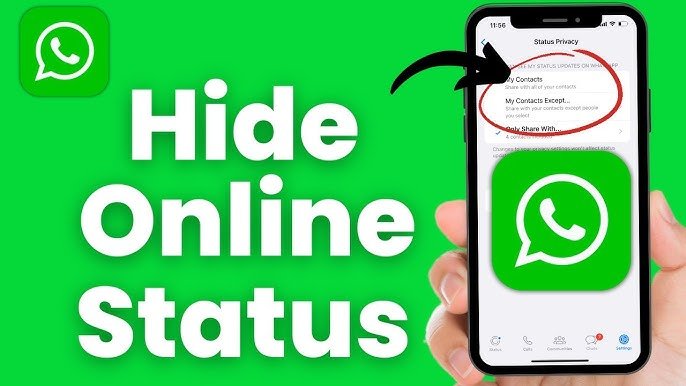
How to Hide Online Status on WhatsApp
WhatsApp is one of the most widely used messaging apps in the world. Fortunately, it offers strong privacy controls.
Follow these steps:
Step 1: Open WhatsApp Settings
- Open WhatsApp
- Tap the three dots menu in the top corner
- Select Settings
Step 2: Go to Privacy
Tap Privacy to see all available privacy options.
Step 3: Change Last Seen and Online Settings
Select Last Seen & Online.
You will see options like:
- Everyone
- My Contacts
- My Contacts Except
- Nobody
Choose Nobody if you want complete privacy.
Then change the Online setting to Same as Last Seen.
This is one of the easiest ways to follow a Hide Online Status Guide on WhatsApp.
How to Hide Online Status on Facebook Messenger
Facebook Messenger also allows users to control their activity status.
Steps to Hide Online Status
- Open the Messenger app
- Tap your profile icon
- Select Active Status
- Turn off Show when you’re active
Once disabled, your friends will not see when you are online.
However, keep in mind that you also won’t see their online status.
This privacy trade-off is common in many Hide Online Status Guide recommendations.
How to Hide Online Status on Instagram
Instagram shows your activity status to people you follow or have direct messages with.
Steps to Disable Activity Status
- Open Instagram
- Go to your Profile
- Tap the menu icon
- Select Settings and Privacy
- Tap Messages and Story Replies
- Select Show Activity Status
- Turn it off
After doing this, no one will see when you were last active.
Many privacy experts recommend this step as part of a complete Hide Online Status Guide.
How to Hide Online Status on Telegram
Telegram provides flexible privacy settings for online visibility.
Steps to Hide Last Seen
- Open Telegram
- Go to Settings
- Tap Privacy and Security
- Select Last Seen & Online
You can choose:
- Everyone
- My Contacts
- Nobody
Select Nobody for maximum privacy.
You can also add exceptions if you want certain people to see your status.
Telegram’s customizable privacy features make it ideal for users following a Hide Online Status Guide.
Additional Tips to Stay Invisible Online
Even after disabling online status, there are extra tricks that can help you stay private.
1. Turn Off Read Receipts
Read receipts show when you have read a message.
Disabling them ensures people cannot tell if you have seen their messages.
Most messaging apps include this setting under Privacy.
2. Use Airplane Mode
Another trick recommended in many Hide Online Status Guide tutorials is using airplane mode.
Steps:
- Turn on airplane mode
- Open the messaging app
- Read messages
- Close the app completely
- Turn airplane mode off
This prevents the app from updating your activity status.
3. Disable Background Activity
Some apps update your online status even when running in the background.
You can prevent this by:
- Restricting background data
- Closing apps after use
This improves both privacy and battery life.
4. Use Notification Previews
Instead of opening messages directly, read them from notification previews.
This allows you to check messages without appearing online.
It’s a simple trick often included in a Hide Online Status Guide.
Benefits of Hiding Your Online Status
Following a Hide Online Status Guide offers several benefits.
More Digital Freedom
You can check messages whenever you want without worrying about others noticing.
Better Time Management
You can respond to messages at your own pace instead of feeling pressured.
Improved Privacy
Your activity patterns remain private, protecting you from unwanted monitoring.
Reduced Social Pressure
Sometimes people expect instant replies. Hiding your online status helps reduce these expectations.
Common Mistakes to Avoid
Even if you follow a Hide Online Status Guide, some mistakes can reveal your activity.
Opening Messages Too Often
If you constantly open messages and reply quickly, others may guess when you are active.
Forgetting Other Devices
If you use messaging apps on multiple devices, make sure privacy settings are applied everywhere.
Ignoring App Updates
Messaging apps often update their privacy settings. Review them regularly to ensure your status remains hidden.
Is It Safe to Hide Online Status?
Yes, hiding your online status is completely safe and legal. Most messaging apps provide this feature as part of their built-in privacy tools.
A reliable Hide Online Status Guide simply helps users take advantage of these privacy settings.
However, remember that hiding your status also means you cannot see others’ activity in some apps.
Best Privacy Practices for Messaging Apps
To improve your digital privacy, consider these additional steps:
- Enable two-factor authentication
- Use strong passwords
- Review app permissions
- Update apps regularly
- Avoid unknown contacts
Combining these tips with a Hide Online Status Guide can significantly improve your online security.
The Future of Online Privacy (2026 and Beyond)
Privacy awareness is growing rapidly. Messaging platforms are adding more tools that allow users to control their visibility.
In the future, we may see features like:
- Temporary activity status
- Advanced privacy modes
- AI-powered privacy controls
- More customizable visibility options
As privacy becomes more important, guides like this Hide Online Status Guide will help users stay in control of their digital lives.
Final Thoughts
Staying connected doesn’t mean sacrificing your privacy. By adjusting a few simple settings, you can control when others see your activity and avoid unnecessary pressure to respond instantly.
This Hide Online Status Guide has shown you how to hide your activity on popular messaging platforms like WhatsApp, Instagram, Telegram, and Facebook Messenger.
By applying these tips, you can enjoy messaging apps while maintaining your personal boundaries and privacy.
If you value digital privacy in 2026, learning how to hide your online status is an essential skill for every smartphone user.