
In today’s digital world, smartphone photography has reached a whole new level. With powerful cameras and advanced software, anyone can capture professional-quality photos. One of the most popular techniques that enhances image quality is HDR (High Dynamic Range). If you’re looking to improve your photography skills, using the best HDR Photo Apps can make a huge difference.
In this comprehensive guide, we’ll explore everything you need to know about HDR photography, the best HDR Photo Apps in 2026, their features, and how to choose the right one for your needs.
What Are HDR Photo Apps?
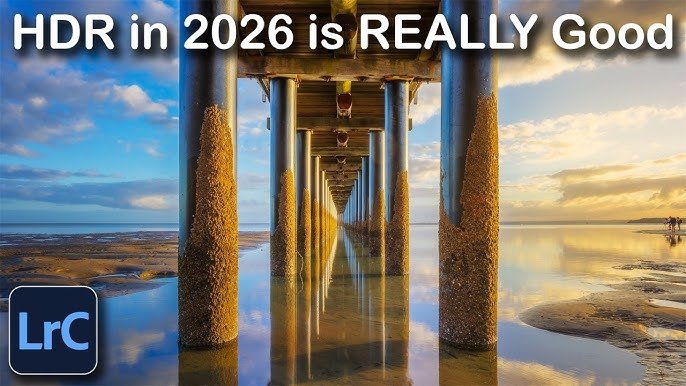
HDR stands for High Dynamic Range. It is a photography technique that combines multiple images taken at different exposure levels into one perfectly balanced photo.
HDR Photo Apps automate this process by:
- Capturing multiple shots
- Merging them intelligently
- Enhancing details in both bright and dark areas
This results in images that look more vivid, detailed, and closer to what the human eye sees.
Why You Should Use HDR Photo Apps
Using HDR Photo Apps offers several benefits:
1. Better Lighting Balance
HDR helps balance overexposed and underexposed areas in a photo.
2. Enhanced Details
You can see more details in shadows and highlights.
3. Professional Look
Even beginner photographers can create DSLR-like images.
4. Ideal for Challenging Conditions
Perfect for:
- Sunset photography
- Landscape shots
- Indoor photos with bright windows
How HDR Photo Apps Work
HDR Photo Apps typically follow these steps:
- Capture 3–5 photos at different exposures
- Align the images
- Merge them using advanced algorithms
- Apply tone mapping for natural results
Many modern apps use AI to make this process automatic and fast.
Top HDR Photo Apps in 2026
Here are some of the best HDR Photo Apps you can use this year:
1. Adobe Lightroom
Key Features:
- Advanced HDR merging
- Professional editing tools
- RAW photo support
- Cloud syncing
Why Choose It:
Adobe Lightroom is perfect for users who want both HDR and full photo editing control.
2. Snapseed
Key Features:
- HDR Scape filter
- User-friendly interface
- Free to use
- Powerful editing tools
Why Choose It:
Snapseed is great for beginners who want simple yet effective HDR editing.
3. HDR Max
Key Features:
- Real-time HDR processing
- Adjustable brightness and contrast
- Auto alignment
Why Choose It:
Ideal for users who want quick HDR photos without complex settings.
4. Camera HDR Studio
Key Features:
- Real-time HDR effects
- Multiple filters
- Easy sharing options
Why Choose It:
Perfect for social media users who want instant HDR effects.
5. Pro HDR X
Key Features:
- High-quality HDR processing
- Manual exposure control
- Natural-looking results
Why Choose It:
Best for users who want more control over their HDR images.
6. VSCO
Key Features:
- HDR-style presets
- High-quality filters
- Minimalistic design
Why Choose It:
Great for aesthetic and artistic HDR photos.
7. Pixlr
Key Features:
- HDR effects and overlays
- AI-powered editing
- Easy-to-use interface
Why Choose It:
Perfect for quick edits and creative HDR enhancements.
Features to Look for in HDR Photo Apps
When choosing the best HDR Photo Apps, consider these features:
1. Ease of Use
The app should have a simple and clean interface.
2. AI Integration
Modern HDR apps use AI for better results.
3. Editing Tools
Look for apps that offer:
- Brightness adjustment
- Contrast control
- Saturation tools
4. Real-Time Processing
Some apps allow live HDR previews while shooting.
5. Export Quality
High-resolution export is important for professional use.
HDR Photography Tips for Beginners
Using HDR Photo Apps is easy, but following these tips can improve your results:
1. Keep Your Camera Stable
Use a tripod or hold your phone steady.
2. Avoid Moving Subjects
HDR works best with still scenes.
3. Don’t Overdo HDR
Too much HDR can make photos look unnatural.
4. Shoot in Good Composition
HDR enhances quality but doesn’t fix bad composition.
5. Use Natural Light
Good lighting always improves HDR results.
Common Mistakes to Avoid
Even with the best HDR Photo Apps, mistakes can ruin your photos:
Overprocessing
Too much HDR effect can make images look fake.
Ghosting Effects
Moving objects can create blur or duplication.
Noise Issues
Low-light HDR photos can become grainy.
HDR Photo Apps for Android vs iOS
Android HDR Apps
- More customization options
- Wide variety of free apps
iOS HDR Apps
- Better optimization
- Smoother performance
Both platforms offer excellent HDR Photo Apps, so your choice depends on your device and preferences.
Free vs Paid HDR Photo Apps
Free Apps
- Basic HDR features
- Ads or limited tools
Paid Apps
- Advanced editing
- No ads
- Professional quality
If you’re serious about photography, investing in a premium HDR Photo App is worth it.
How to Choose the Best HDR Photo App
Here’s a quick guide:
For Beginners
Choose simple apps like Snapseed or Pixlr.
For Professionals
Go for Adobe Lightroom or Pro HDR X.
For Social Media
Use VSCO or Camera HDR Studio.
Future of HDR Photo Apps
HDR technology is evolving rapidly. In 2026 and beyond, we can expect:
- AI-powered real-time HDR
- Better low-light performance
- Faster image processing
- Integration with AR and VR
HDR Photo Apps will continue to improve and become even more powerful.
Conclusion
HDR photography has transformed the way we capture images, and using the right HDR Photo Apps can elevate your photography to a professional level. Whether you’re a beginner or an experienced photographer, there’s an app out there that fits your needs.
From powerful tools like Adobe Lightroom to beginner-friendly apps like Snapseed, the options are endless. By understanding how HDR works and choosing the right app, you can capture stunning, high-quality photos every time.
Start exploring these HDR Photo Apps today and take your photography skills to the next level!