
WhatsApp is one of the most popular messaging apps in the world, with over 2 billion active users. Almost everyone uses it daily for chatting, voice calls, video calls, sharing photos, documents, and even business communication.
But here’s the surprising truth most users are only using 30–40% of what WhatsApp can actually do.
There are many WhatsApp hidden features that remain unnoticed, yet they can seriously improve your privacy, productivity, and overall experience. In this detailed guide, you’ll discover WhatsApp hidden features you should start using today to become a power user.
Whether you’re an Android user, iPhone user, or someone running a small business, this article will change the way you use WhatsApp.
Why You Should Care About WhatsApp Hidden Features
WhatsApp keeps adding new features quietly through updates. These features are often hidden deep inside settings, so most people never notice them.
Using WhatsApp hidden features can help you:
- Protect your privacy
- Save time
- Reduce distractions
- Improve security
- Use WhatsApp like a pro
Let’s explore them one by one.
1. Hide Your Online Status (Appear Offline)
One of the most requested WhatsApp hidden features is the ability to hide your online status.
How to hide online status:
- Open WhatsApp
- Go to Settings → Privacy → Last Seen & Online
- Set “Who can see my online” to Same as Last Seen
- Choose Nobody or My Contacts Except…
Now you can use WhatsApp without others knowing you’re online. Perfect for privacy lovers.
2. Lock WhatsApp with Fingerprint or Face ID
Did you know WhatsApp has a built-in app lock feature? Many users still rely on third-party apps, which is risky.
How to enable WhatsApp App Lock:
- Go to Settings → Privacy → App Lock
- Enable Fingerprint / Face ID
- Set auto-lock time
This hidden feature keeps your chats safe even if someone unlocks your phone.
3. Send Messages to Yourself (Personal Notes Trick)
WhatsApp can be used as a personal notes app.
How to message yourself:
- Save your own phone number in contacts
- Open WhatsApp and search your name
- Start chatting with yourself
You can save:
- Password hints
- To-do lists
- Links
- Voice notes
This is one of the most useful WhatsApp hidden features you should start using today.
4. View Messages Without Blue Ticks
Want to read messages without sending blue ticks? Here’s how.
Method 1: Disable Read Receipts
- Go to Settings → Privacy
- Turn off Read Receipts
Method 2: Use Notification Preview
- Read messages directly from notifications
- No blue ticks will be sent
Note: Disabling read receipts also removes your ability to see others’ blue ticks.
5. Archive Chats Forever (No More Disturbance)
Many users think archived chats come back when new messages arrive — but not anymore.
How to archive chats permanently:
- Go to Settings → Chats
- Enable Keep Chats Archived
Now archived chats will stay hidden forever unless you manually unarchive them.
6. Edit Sent Messages (Game-Changing Feature)
Yes, WhatsApp now allows you to edit sent messages within a short time.
How it works:
- Long-press the sent message
- Tap Edit
- Correct your mistake
This feature is extremely useful for fixing typos and wrong information quickly.
7. Use One WhatsApp Account on Multiple Phones
Earlier, WhatsApp worked only on one phone. Now you can use the same account on up to 4 devices.
Benefits:
- No need to keep main phone online
- Use WhatsApp on tablet + phone
- Perfect for work and multitasking
Just go to Linked Devices and add another phone.
8. Disappearing Messages for Privacy
Want your messages to auto-delete? WhatsApp has a powerful disappearing messages feature.
Available options:
- 24 hours
- 7 days
- 90 days
Enable it from Chat Info → Disappearing Messages.
This is perfect for:
- Private conversations
- Temporary chats
- Sensitive information
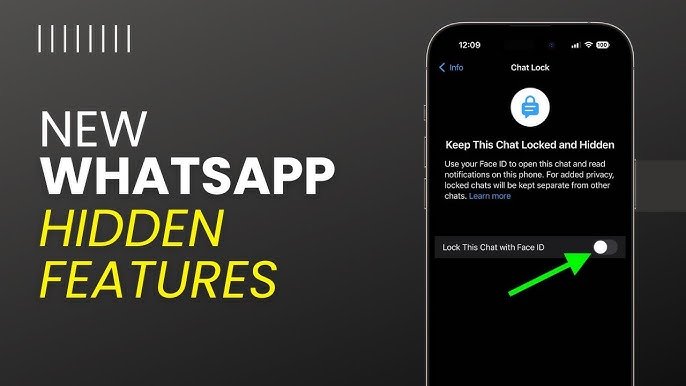
9. Hide Specific Chats with Chat Lock
This is one of the newest WhatsApp hidden features.
What Chat Lock does:
- Locks selected chats using fingerprint or Face ID
- Moves chats to a hidden folder
- No preview shown in notifications
To enable:
- Open a chat → Tap contact name → Chat Lock
10. Mute Calls from Unknown Numbers
Tired of spam calls on WhatsApp? There’s a hidden solution.
How to mute unknown callers:
- Go to Settings → Privacy → Calls
- Enable Silence Unknown Callers
Calls from unknown numbers will be muted automatically but still appear in call logs.
11. Custom Notifications for Important Contacts
You can assign custom notification tones for specific contacts.
Why it’s useful:
- Instantly know who messaged you
- No need to check phone repeatedly
Steps:
- Open chat → Tap contact name → Custom Notifications
- Set ringtone and vibration
12. Use WhatsApp as a Document Scanner
WhatsApp can scan documents without any extra app.
How:
- Open chat → Attach → Camera
- Switch to Document mode
- Capture and send
Perfect for quick office work or sharing PDFs.
13. Reduce Data Usage (Hidden Data Saver)
If you’re on limited data, this feature is a lifesaver.
Enable data saver:
- Go to Settings → Storage and Data
- Set Media Auto-Download to Wi-Fi only
- Enable Low Data Usage for calls
14. Search Chats Like a Pro
WhatsApp has advanced search filters that most users ignore.
You can search by:
- Photos
- Videos
- Links
- Documents
- Voice notes
Just tap the search icon and select a category.
15. Pin Important Messages in Chats
Instead of scrolling endlessly, you can pin messages.
How:
- Long-press a message
- Tap Pin
Pinned messages stay at the top for quick access.
WhatsApp Hidden Features for Business Users
If you run a small business, WhatsApp has extra hidden tools:
- Quick Replies
- Auto Greeting Messages
- Away Messages
- Business Profile Insights
These features can improve customer communication without extra cost.
Tips to Get More WhatsApp Hidden Features
- Always update WhatsApp from Play Store or App Store
- Join WhatsApp beta (optional)
- Check privacy and chat settings regularly
WhatsApp frequently adds new features silently.
Final Thoughts
WhatsApp is much more than a simple messaging app. By using these WhatsApp hidden features you should start using today, you can boost your privacy, save time, and enjoy a smarter chatting experience.
Most users don’t explore WhatsApp settings — but now you’re ahead of them.
If you love discovering hidden app features, APK guides, and smart tech tips, keep visiting apk4r.org for more helpful content.





